Overview
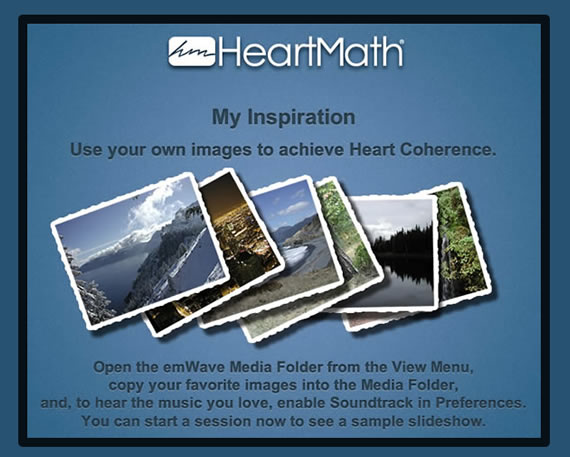
The My Inspiration Game functions as a high-tech “digital vision board.” Research shows that looking at images of loved ones, pets, or peaceful landscapes can help trigger the physiological shift into a state of coherence. This game automates that process by creating a dynamic slideshow synchronized with your heart rhythm.
How to Add Your Pictures
- Open the Media Folder: Go to the View menu at the top of the emWave window and select Media Folder. This will open the specific directory on your hard drive where the game looks for images.
- Add Files: Drag and copy your image files (supports .jpg and .bmp formats) into this folder.
- Manage Your Collection: To remove a picture, simply drag it out of the emWave Media folder and back into your personal “My Pictures” folder.
- Warning: Do not use the “Delete” command if you are working with original files, as this will remove them from your entire system. Always use the “Copy and Paste” or “Drag” methods.
How to Add Your Music
Unlike other emWave games that use built-in sound effects, My Inspiration is built to utilize your Personal Soundtrack.
- Access Preferences: Go to Edit > Preferences (Windows) or emWave Pro > Preferences (Mac).
- Select Soundtrack: Click the soundtrack icon (the default is “7 Minute Song.mp3”) and browse your computer for your preferred music file.
- Check Format: The game supports MP3, WAV, or WMA files.
- Enable and Test: Check the Enable box and click Preview to confirm the software can read the file. Click OK to save.
Starting Your Personalized Session
Once your media is loaded:
- Attach your ear or finger sensor.
- Navigate to the Games and Visualizers menu (the hot air balloon icon).
- Select My Inspiration.
- Click the Start button. The game will begin cycling through your images while your selected music plays in the background.
Alternative Audio Method
If you prefer not to use the built-in soundtrack feature, you can simply play music in the background using an external application like Spotify, iTunes, or Windows Media Player while running the game.